
Presentations today travel far beyond the meeting rooms they were originally created for.
A sales deck built in London may be presented in Dubai the very next day, while training material created for one regional team may need to be adapted across multiple markets within a week. Product launches, investor updates, onboarding decks and enterprise communication increasingly need to work across languages without losing clarity or visual consistency.
But translating PowerPoint presentations is still a major operational bottleneck for global teams.
Most workflows remain heavily manual. Teams extract slide text, adapt it separately, reinsert it into the deck and then spend hours fixing broken formatting, spacing issues, alignment problems and awkward phrasing. What should be a fast localisation process often turns into a time-consuming editing exercise.
The bigger challenge is that presentations are not just text documents. They combine:
The moment content shifts from one language to another, these elements can easily fall apart.
This is where teams increasingly translate PowerPoint with AI to simplify multilingual communication workflows.
Unlike basic language tools that process text line by line, AI agents for PPT translation analyse presentations more holistically. They preserve context, maintain formatting, retain semantic meaning and adapt multilingual content while keeping the overall presentation structure intact.
In this guide, we will explore how AI agents for PPT translation work, where traditional workflows fail and why platforms like emotii Presentation AI Studio are becoming increasingly valuable for multilingual communication at scale.
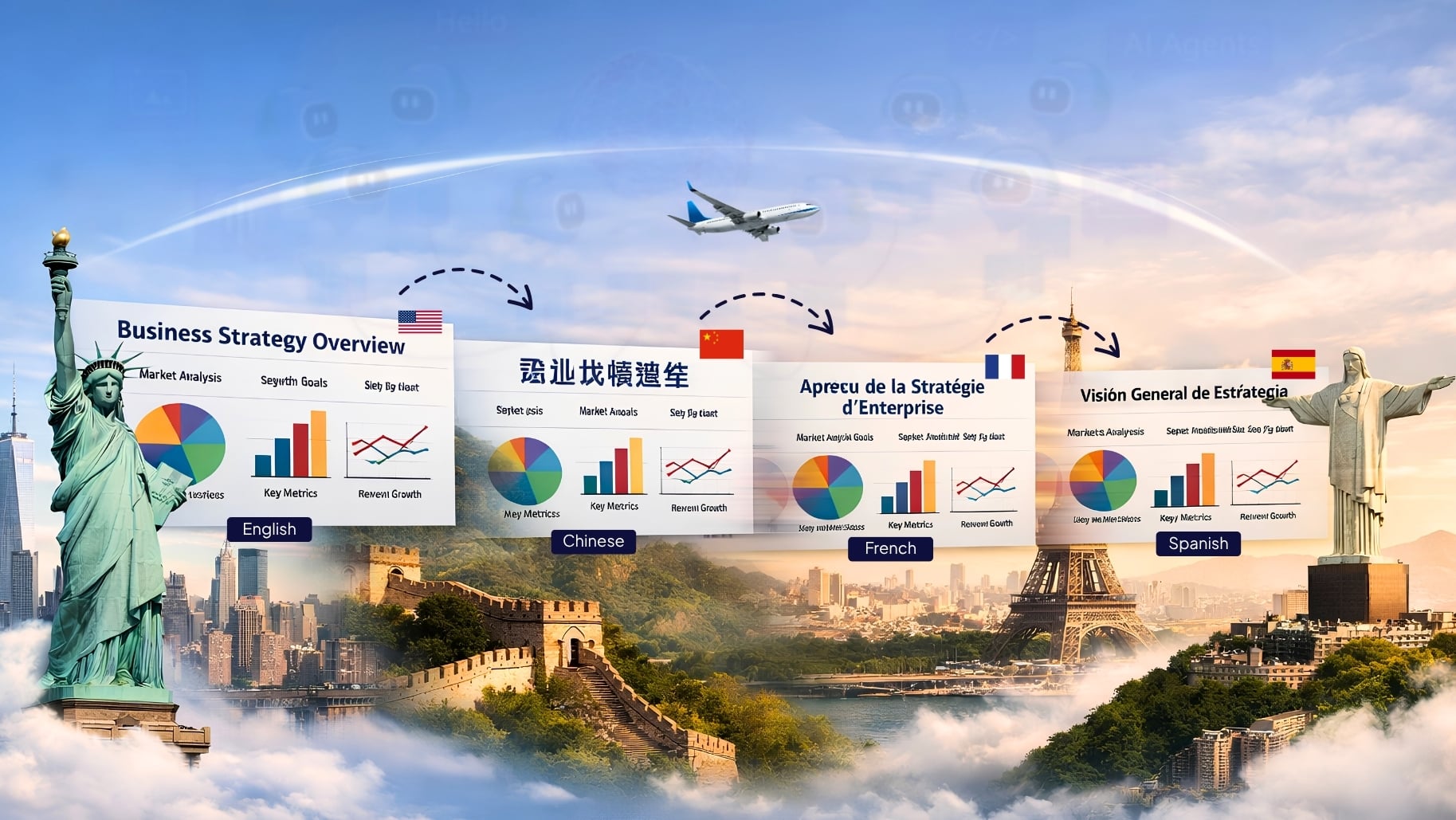
Most presentation translation issues start with one incorrect assumption: that translating a PowerPoint deck is the same as translating a text document.
In reality, presentations are far more structure-dependent.
Every slide in a presentation is carefully structured to guide how information is understood. Headlines, charts, spacing and animations – all work together to shape the flow of communication. When multilingual content is inserted without considering these design dynamics, presentations quickly lose visual consistency and overall impact.
Traditional workflows usually involve several disconnected steps:
This creates unnecessary operational overhead, especially for enterprise teams handling multilingual communication regularly.
The challenge becomes even bigger when presentations move between languages with completely different sentence structures.
For example:
Without intelligent processing, presentations quickly become visually inconsistent and contextually weak.
Large presentation decks are extremely difficult to localise manually.
A 100-slide sales presentation translated into five languages may involve:
Even after translation is completed, teams often spend more time fixing slides than reviewing communication quality itself.
Literal translation is one of the biggest weaknesses in multilingual presentations.
A product pitch, leadership message, or training presentation relies heavily on:
Basic translation systems process sentences individually without understanding the broader presentation narrative.
The result:
This is one of the main reasons businesses now prefer AI agents for PPT translation instead of relying on isolated language tools.
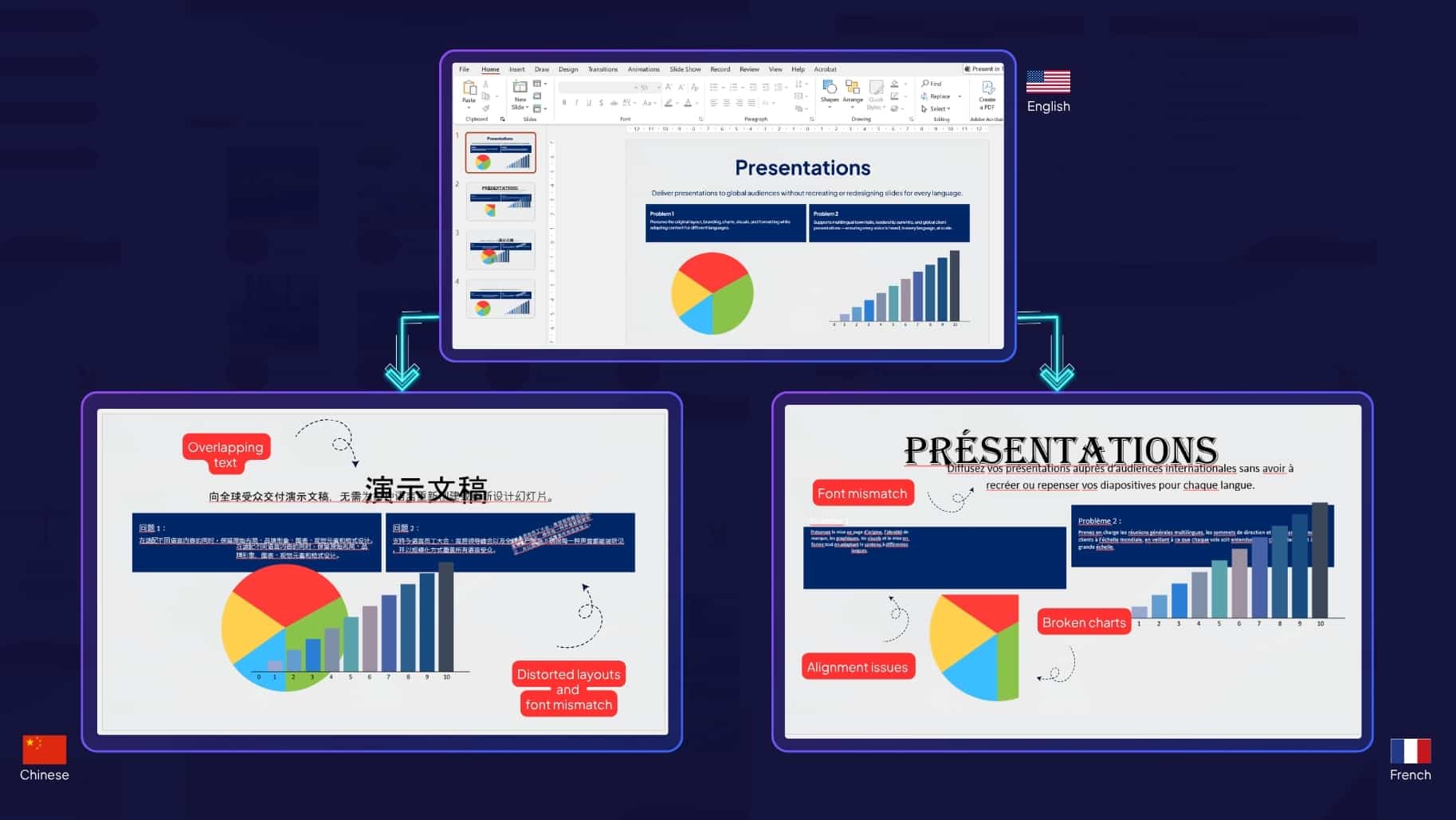
This remains one of the most common frustrations with traditional PPT translation tools.
Teams frequently encounter:
Even good translations become unusable when the presentation structure collapses after export.
AI agents are workflow-driven systems capable of handling multiple interconnected tasks intelligently rather than performing isolated actions.
In presentation translation, this means the AI does far more than simply convert text from one language into another.
Instead, the system can:
This is what separates AI agents for PPT translation from basic AI language tools.
Rather than treating slides as disconnected text blocks, agent-based workflows process the presentation as a complete communication experience.
That difference becomes especially important for:
The best way to translate presentation slides automatically is through workflows that combine contextual understanding with formatting preservation.
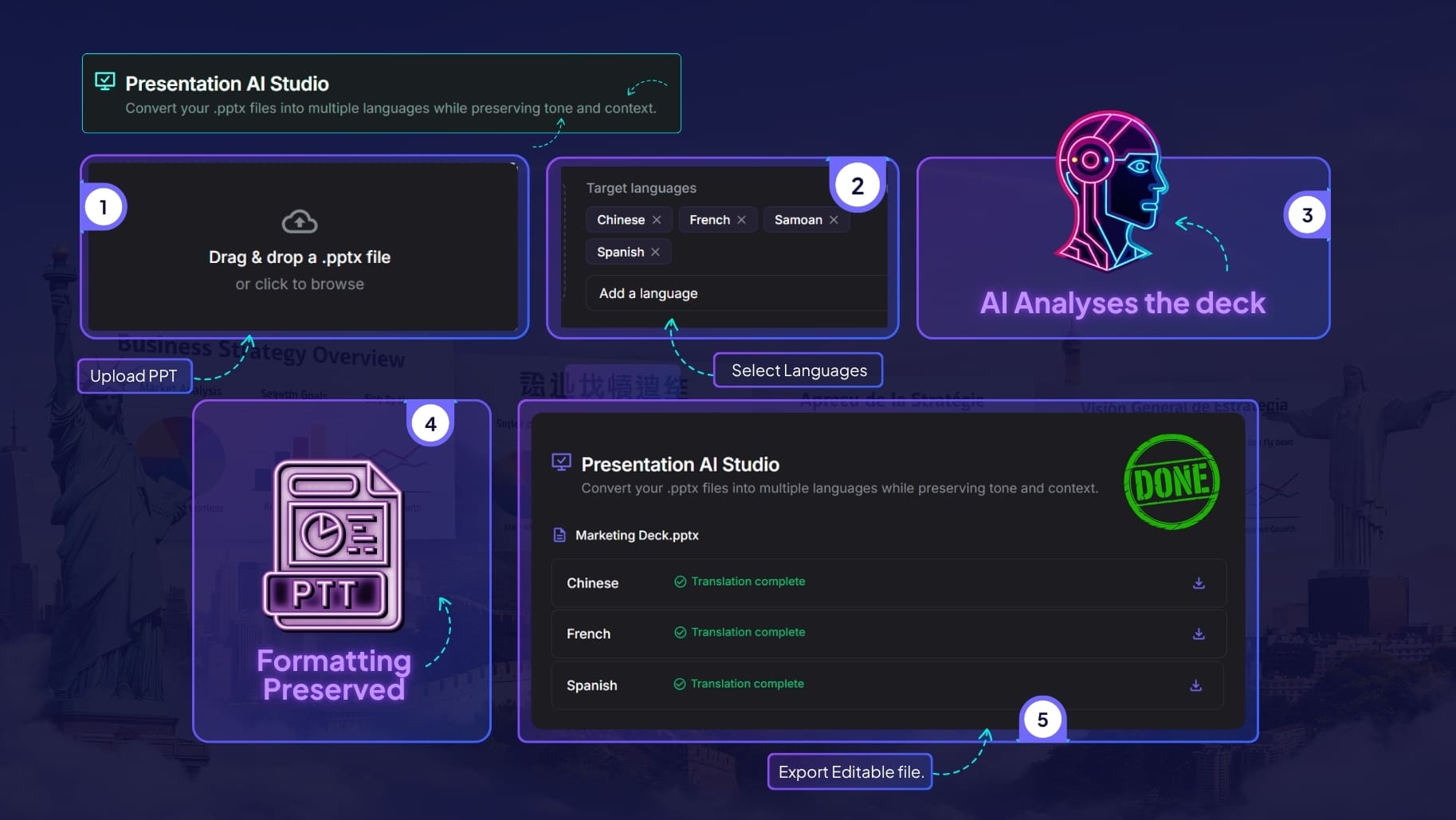
If you are wondering how to translate PPT into multiple languages using AI – a typical AI-agent workflow usually looks like this:
The process starts with uploading the original .pptx file directly into the AI platform.
A reliable system should support:
Modern workflows eliminate the need for manual text extraction entirely.
Instead of translating decks one language at a time, AI-powered systems can generate multiple versions simultaneously.
For example:
This significantly reduces operational effort for global teams.
This is where AI agents differ most from conventional tools.
Rather than processing slides independently, the system analyses:
This helps preserve consistency throughout the entire presentation.
Strong AI presentation workflows retain:
This dramatically reduces the amount of post-translation editing required. It is also considered the best way to translate presentation slides automatically without rebuilding the deck manually afterwards.
The final deck should remain:
This allows teams to review and present immediately without rebuilding the deck manually.
Although many platforms now offer AI-powered translation, most still struggle with presentations specifically because presentations require contextual intelligence, not just language conversion.
One major issue is literal translation behaviour.
Many systems generate translations that are technically correct but professionally awkward because they fail to understand:
Another common failure point is contextual inconsistency. A term introduced on Slide 2 may appear differently on Slide 15 because the AI processes slides independently rather than holistically.
Formatting preservation is another major limitation.
Many tools still output:
As a result, teams still spend hours manually correcting presentations after translation.
emotii Presentation AI Studio is designed specifically for multilingual presentation workflows where both communication quality and visual structure matter equally.
Instead of focusing only on language conversion, emotii processes the entire presentation contextually while preserving slide integrity throughout the workflow.
The platform is built to maintain:
This allows teams to localise presentations without rebuilding them manually afterwards.
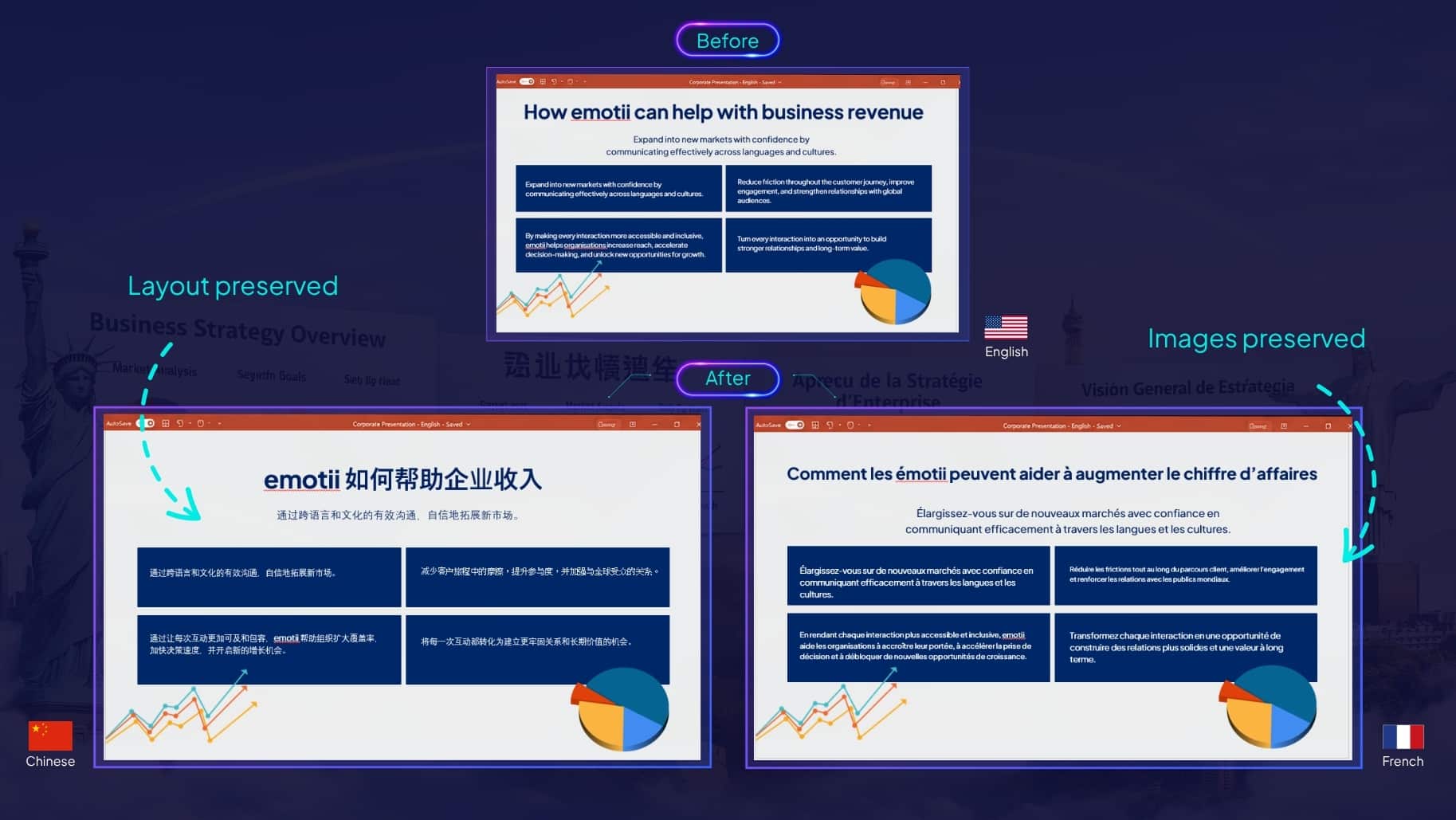
Another major advantage is multilingual scalability. emotii supports 126+ languages while retaining visual consistency across presentations, making it especially useful for:
For organisations exploring broader multilingual AI workflows, emotii also offers deeper insights into agentic AI-powered communication systems designed for enterprise-scale language adaptation.
Even with advanced AI agents, a few workflow practices can improve output quality significantly.
Frequent content changes during translation create unnecessary workflow complexity.
Before localisation begins:
AI systems perform better when source presentations use consistent messaging patterns.
This is especially important for:
Consistency improves both translation quality and contextual accuracy.
AI accelerates presentation localisation dramatically, but final human review still matters.
Teams should review:
This ensures the final presentation feels natural for the target audience rather than mechanically processed.
If your organisation is evaluating how to translate PPT into multiple languages using AI, human review combined with contextual AI workflows will always produce stronger results.
As businesses continue scaling across markets, multilingual presentations are becoming a core operational requirement rather than an occasional localisation task.
Traditional workflows remain slow, fragmented and heavily dependent on manual correction. Basic AI tools improve translation speed but still struggle with the deeper challenges presentations introduce. These often include contextual continuity, visual integrity, tone consistency and structural preservation.
AI agents are changing this entirely.
By combining contextual understanding, multilingual adaptation and intelligent formatting retention into a single workflow, AI-powered systems now make it possible to translate PowerPoint with AI far more efficiently without compromising presentation quality.
Platforms like emotii Presentation AI Studio help organisations move beyond simple translation and towards scalable multilingual communication where every presentation remains as impactful in the target language as it was in the original.
If your team regularly works across regions, languages, or global audiences, this is probably the right time to rethink how presentation workflows are managed. A smarter adaptation process does not just save time – it helps every message land the way it was originally intended to!
Quick reality check before we start clicking.
| Trade Databases
ImportGenius / Panjiva |
emotii
Recommended |
|
|---|---|---|
| What you get | Customs records, bills of lading, shipment history | Verified work emails + direct phone numbers of decision makers |
| Decision makers | Rarely available
manual research needed |
Access decision makers of import companies CEOs, Founders, Procurement Heads, Supply Chain Managers |
| Real-time email verification | ✕ No | ✓ Yes |
| Starting price | Typically hundreds per month | $49/month Up to 50 free credits |
| Best fit | Trade analysts, market research teams | Sales teams running outbound |
Trade databases tell you who imports.
A B2B contact database tells you who to email.
If your goal is to book meetings, you want the second one.

Find importer companies, procurement decision-makers, verified work emails, and direct phone numbers.
Start Building Your List FreeIn this section I will teach you how to use Saleshandy for finding:
1. importer companies in the USA
2. procurement and sourcing decision-makers inside those companies
You need to follow these steps